5 Essential Visual Communication Tools for Autism: PECS, Schedules, AAC Apps, Choice Boards & Social Stories
Unlocking Worlds Through Pictures: Why Visual Tools Matter for Autistic Children
Picture this: your child's frustration peaks as words tangle unspoken on their tongue, a meltdown brewing over a simple request for juice. In that heart-wrenching moment, a single image—a vibrant splash of orange—transforms chaos into connection. For parents navigating autism, autism visual communication tools aren't just aids; they're bridges to understanding, patience, and joy.
Many children on the autism spectrum process the world visually first. Words can overwhelm, but pictures? They cut through the noise, offering clarity in a sensory storm. These tools empower non-verbal kids to express needs, grasp routines, and build social bonds. In this guide, we'll dive into five game-changers: PECS for autism, visual schedules, AAC apps for kids, choice boards, and social stories. Each one comes with real-world tips to weave into your family's rhythm, turning everyday hurdles into triumphs.
Whether you're at home, school, or therapy, these strategies foster independence and reduce anxiety. Let's explore how they light the path forward.
1. PECS for Autism: The Power of Picture Exchange
What Is PECS and How Does It Help?
PECS for autism, or Picture Exchange Communication System, flips the script on requesting. Instead of waiting for your child to speak, they hand you a picture card symbolizing their want—a toy, snack, or break. Developed for non-verbal learners, it builds from simple exchanges to full sentences, sparking motivation through immediate rewards.
Imagine your little one, eyes wide, selecting a card for "apple" and trading it for the fruit. That spark of success? It snowballs into confidence, reducing tantrums and opening doors to language. PECS shines because it's child-led, respecting their pace while teaching functional communication.
Implementation Tips for Busy Parents
- Start small: Laminate 5-10 core cards (food, play) on a Velcro strip. Place it within easy reach during meals or playtime.
- Pair with praise: "Great job giving the picture! Here's your cookie." Reinforce every exchange.
- Expand gradually: Introduce colors or actions after mastering basics. Track progress in a simple journal.
- Customize visuals: Use photos of your child's actual toys or family for familiarity.
- Collaborate with therapists: Align home use with school for consistency.
PECS isn't overnight magic, but persistence pays off. One parent shared how it turned mealtime battles into peaceful rituals—your story could be next.
2. Visual Schedules: Taming the Unknown One Picture at a Time
Bringing Order to Chaos
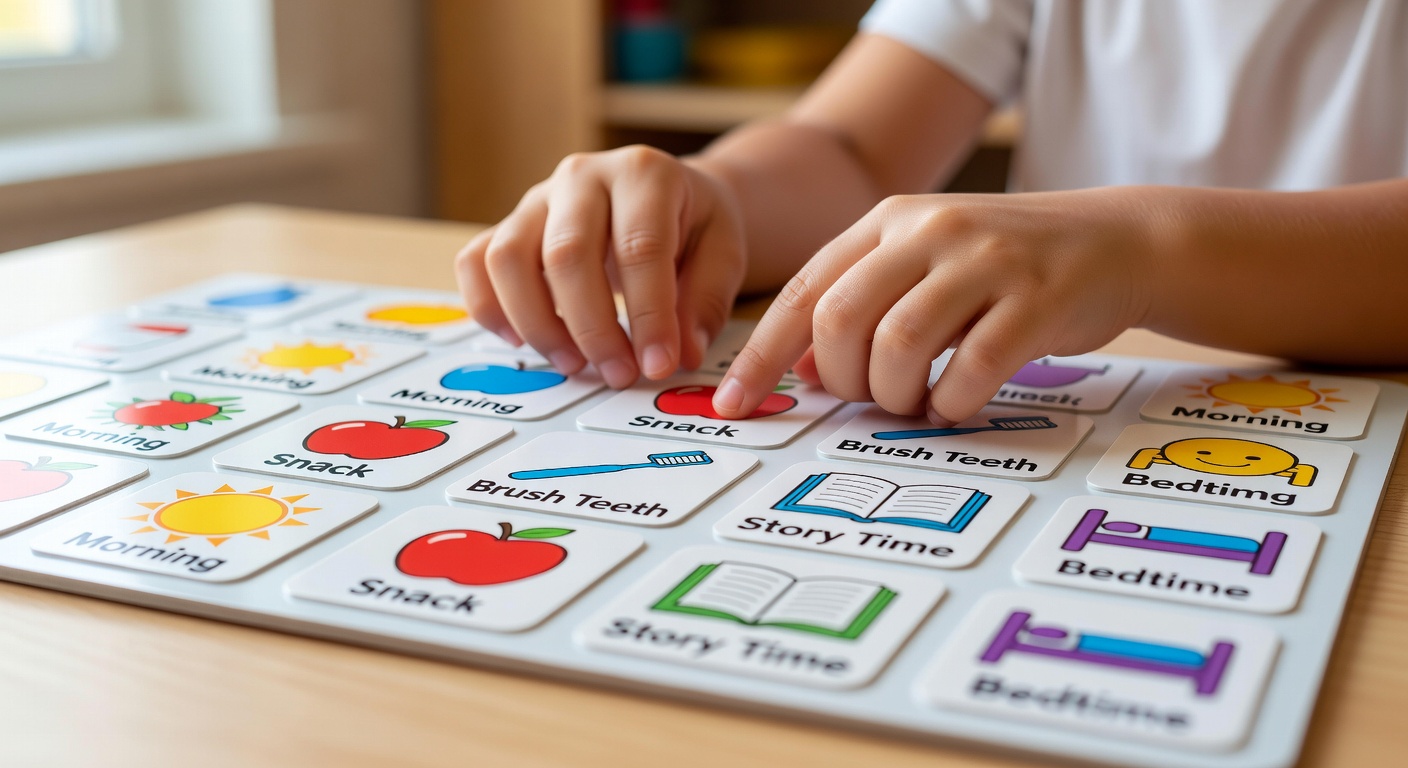
Visual schedules are lifelines for autistic kids who crave predictability. A sequence of images—"bath, story, bed"—maps the day, slashing anxiety over transitions. No more "What's next?" meltdowns; instead, your child flips to the next picture, owning their routine.
These tools thrive on routine-heavy days. A morning schedule might show cereal bowl to backpack, easing school departures. The visual cue acts like a gentle whisper: "You're safe; here's the plan."
Practical Ways to Roll Them Out
- Assess needs: Chart a typical day and pick 4-6 key steps.
- Go hands-on: Print icons on cardstock; use a binder ring for portability.
- Check off wins: Magnetic checklists let kids move pictures, celebrating completion.
- Adapt for ages: Toddlers love big, colorful boards; older kids prefer apps or planners.
- Troubleshoot: If resistance hits, shorten the schedule and add favorites like "park time."
Visual schedules don't just structure days—they build trust in tomorrow.
3. AAC Apps for Kids: Tech That Talks Back
Digital Voices for Modern Families
AAC apps for kids (Augmentative and Alternative Communication) turn tablets into talking partners. Apps like Proloquo2Go or Avaz offer grids of symbols; tap "hungry," and a voice says it aloud. Portable and customizable, they grow with your child—from single words to stories.
In a park meltdown, a quick tap for "too loud" alerts you instantly. These apps bridge gaps, encouraging vocal attempts while providing reliable backup.
Getting Started Without Overwhelm
- Choose wisely: Free trials of apps with voice output and photo upload.
- Model first: Use it yourself—"Mom wants water"—to demo.
- Set limits: Designate "talker time" to avoid screen overload.
- Integrate play: Program games or songs for fun practice.
- Seek training: Many apps have parent tutorials; pair with speech therapy.
4. Choice Boards: Empowering Decisions, One Option at a Time
Freedom Within Boundaries
Choice boards present 2-6 laminated options—like swing or slide—curbing indecision-fueled outbursts. By pointing, your child practices decision-making, boosting self-esteem and cooperation.
Snack time? Board shows apple, crackers, yogurt. It's control in a controlled way, teaching "yes" and "no."
Easy DIY Setup
- Keep it binary at first: Two choices prevent paralysis.
- Rotate options: Swap weekly to expand vocabulary.
- Portable power: Laminated folders for outings.
- Honor picks: Follow through to build trust.
Choice boards whisper, "Your voice matters," fostering budding independence.
5. Social Stories: Narratives That Teach the Unspoken
Stories as Social Roadmaps
Social stories use simple sentences and pictures to demystify situations: "At the store, we wait in line. Waiting is good." Tailored to triggers like haircuts or sharing, they preview expectations, easing overwhelm.
Read before events; the visuals make abstract rules concrete.
Crafting Your Own
- Keep short: 5-10 pages, first-person language.
- Positive spin: Focus on successes.
- Personalize: Star your child in photos.
- Repeat: Review daily until mastered.
Weaving It All Together: Your Toolkit for Connection
These autism visual communication tools—PECS, visual schedules, AAC apps, choice boards, social stories—aren't isolated fixes; they're a symphony. Mix them: A schedule with choice points, PECS feeding into AAC. Track what clicks for your child, tweaking with love.
You're not alone in this dance. Start with one tool today, celebrate tiny victories, and watch your child's world expand. In the quiet glow of a shared picture, you'll find the deepest communication: understanding. You've got this, mama—one image at a time.
